We're working on making Epoch Street playable on Android phones. This post shows, with real screens, what playing on a phone feels like.
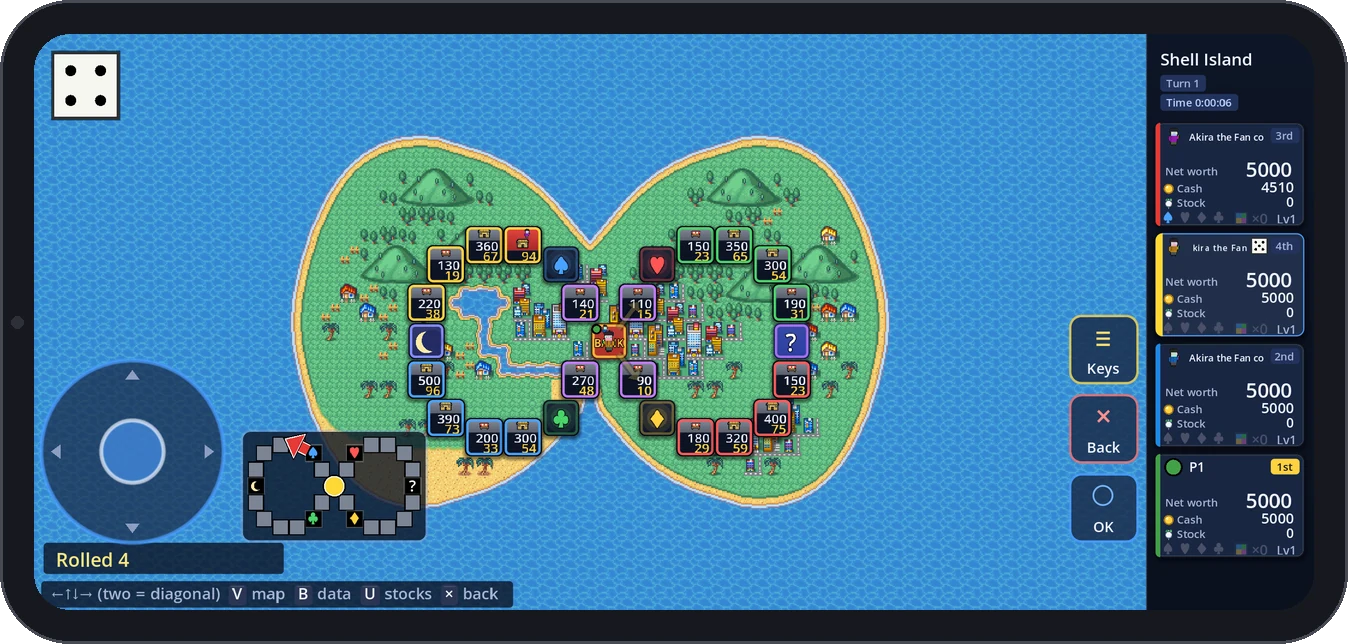 A match on a phone: the circle pad at the bottom left, and the Keys / Back / OK buttons on the right
Where it stands
- The phone version isn't out yet. It will come to the test build first, and there's no date yet
- It will be an APK from the official site (not Google Play)
- The goal is that everything (starting the game, settings, starting a match, playing turns, suspending and saving, resuming and quitting) works with your fingers alone, and our automated tests check that path every time
- On a real Android 12 phone we've checked landscape display, the soft keyboard (including Japanese input), the system Back gesture and coming back from the background. Importing and exporting files hasn't been checked on a device yet
- Online play isn't supported on phones yet
The phone face: Control style
Settings → Display has a new Control style row (PC / Phone / tablet). The first time you start the game on a phone, it asks whether you're playing on a PC or a phone, and picking phone gives you the phone layout straight away. If you already play on PC, you won't be asked.
The phone face changes these things:
- Big on-screen buttons on the right: OK, Back and Keys (they can go on the left too)
- A circle pad at the bottom left for directions (or a D-pad, or nothing)
- The operation guide shows ○ and × instead of "Enter" and "Esc"
Every screen is laid out the same as on PC, so menu rows are on the small side. Rather than making you hit small rows exactly, the phone face lets you pick a row, then confirm with the big OK button. In menus, your first tap picks a row and shows its description; tap it again, or press OK, to choose it.
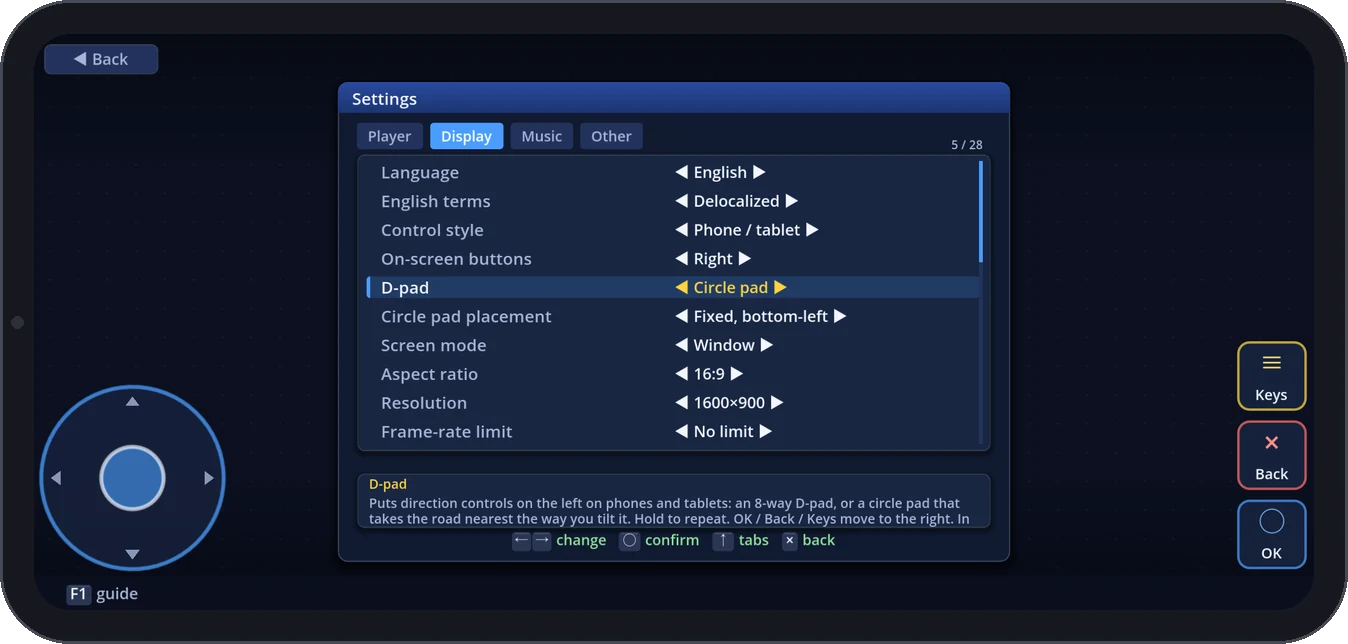 Settings → Display: Control style, On-screen buttons, D-pad (circle pad) and Circle pad placement
What your fingers do
- Tap = click. It counts when you lift your finger, so you can slide off something you didn't mean to press
- Long press (0.5 s) = back. Android's own Back gesture also goes back one screen instead of closing the game
- Drag on a list = the cursor moves the way your finger goes. Flick fast and it keeps going after you let go
- Pinch = zoom the board in and out
- Two-finger drag = open the map to look around the board
Moving your piece with your fingers
After you roll, there are a few ways to move.
- Tilt the circle pad and your piece steps along the road nearest that direction. Hold it to keep going; you can follow a gently curving road just by holding the same direction
- Tap the next square (or the arrow coming out of your piece) to take that one step
- Flick on the board for one step per flick, so a long drag never carries you past a fork
- Tap a square you can stop on and your piece walks there by itself. You still get the usual "Stop here?" at the end, so a mistap costs nothing
The circle pad can be fixed at the bottom left or appear wherever you put your thumb. Either way, you can press OK with your other thumb while using it.
Anything that needs a key is under Keys
Screens you'd open with a keyboard on PC (map, data, stock prices and so on) and each screen's own keys: tap Keys and every key that screen's operation guide names appears as a big button. Whatever the guide shows is always here too, so nothing is left that a phone can't do.
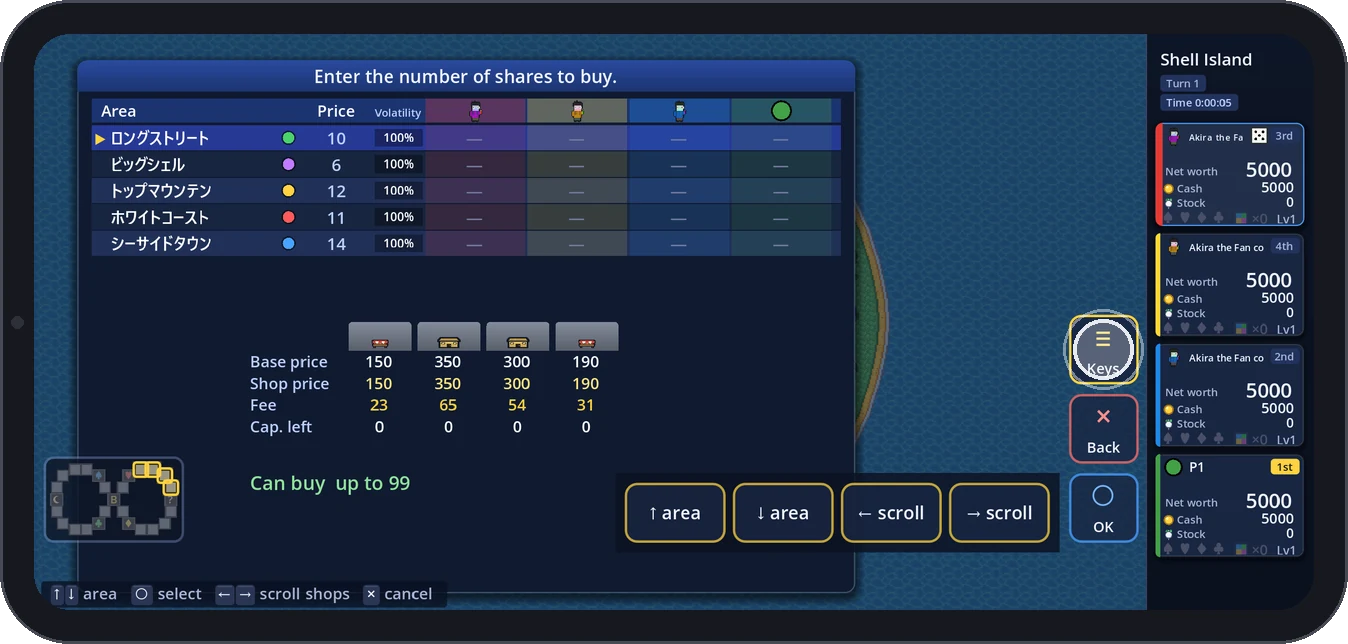 Keys opened while buying stock: area select and shop scroll as big buttons
For number entry (share counts, investments, trade amounts), "123 Type" inside Keys opens a number pad. "Set" puts the number into the field (rounding it into range), and OK confirms. You can still tap ▲▼ to change one digit at a time.
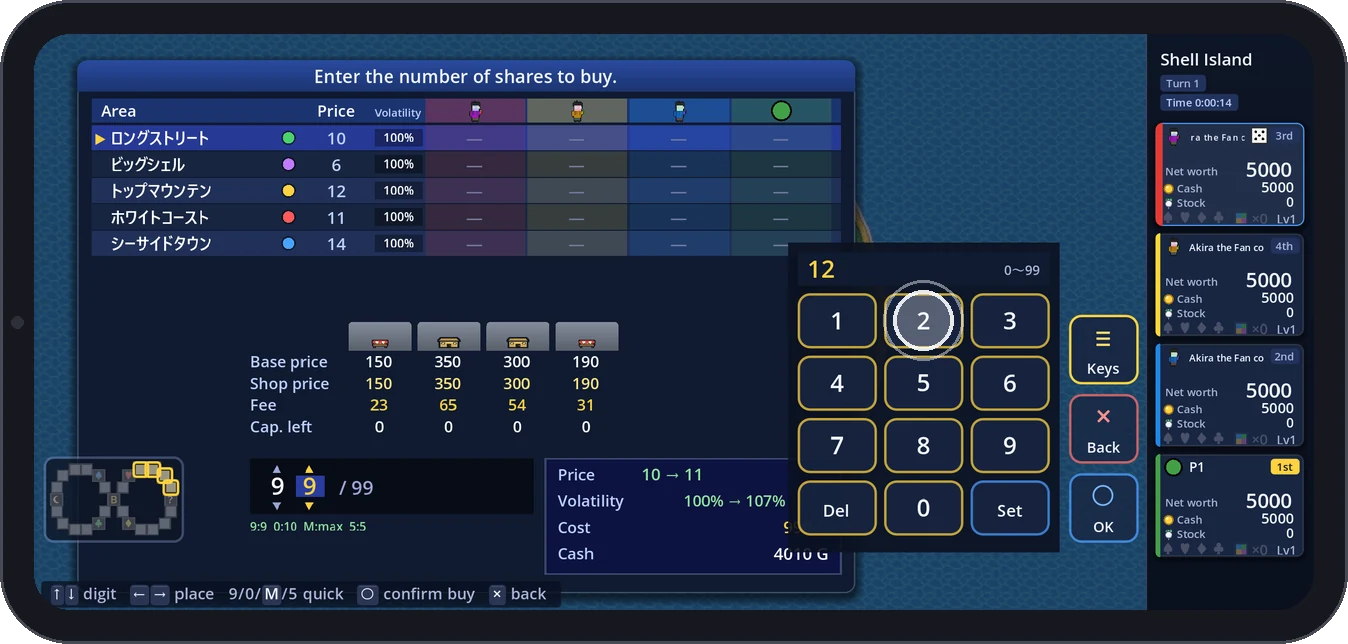 The number pad open on a share count, after pressing 1 and 2 (the white ring marks the press)
Chance cards by touch
For the 8×8 grid of chance cards, tap a card to pick it, then tap it again or press the big "Flip" button below. The cards are a little bigger in the phone face. Once a card is flipped, tap anywhere to go on.
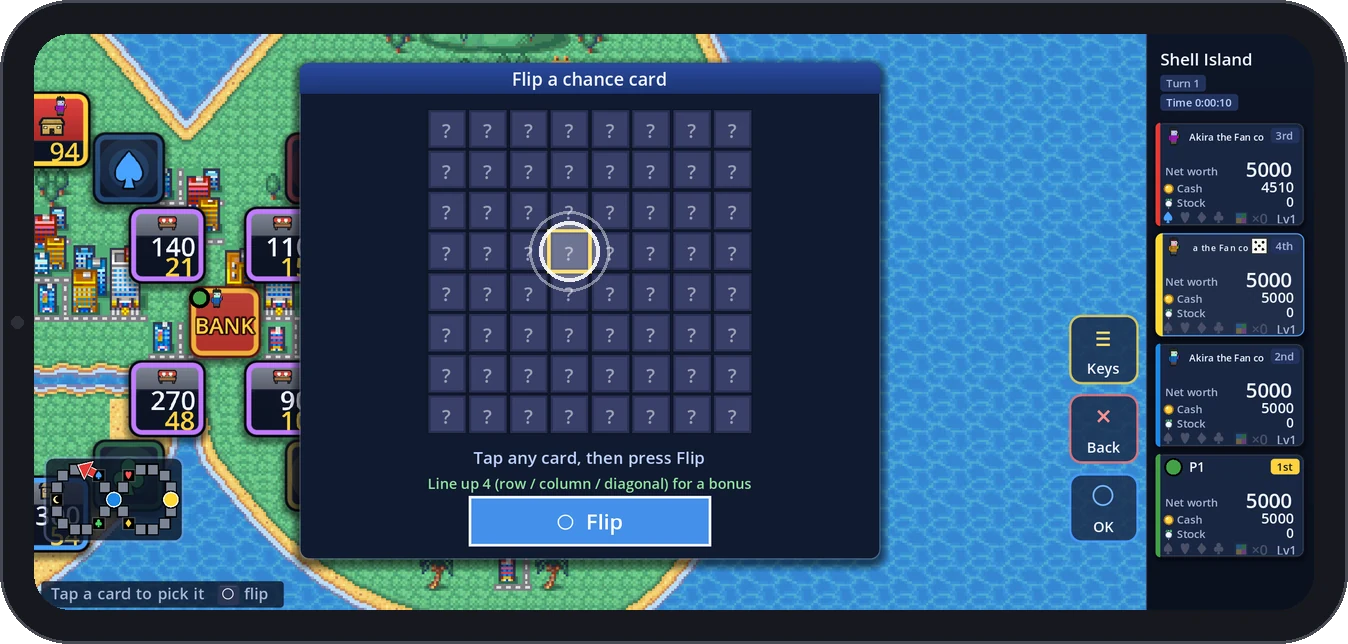 A chance card picked by tapping, with the big Flip button below
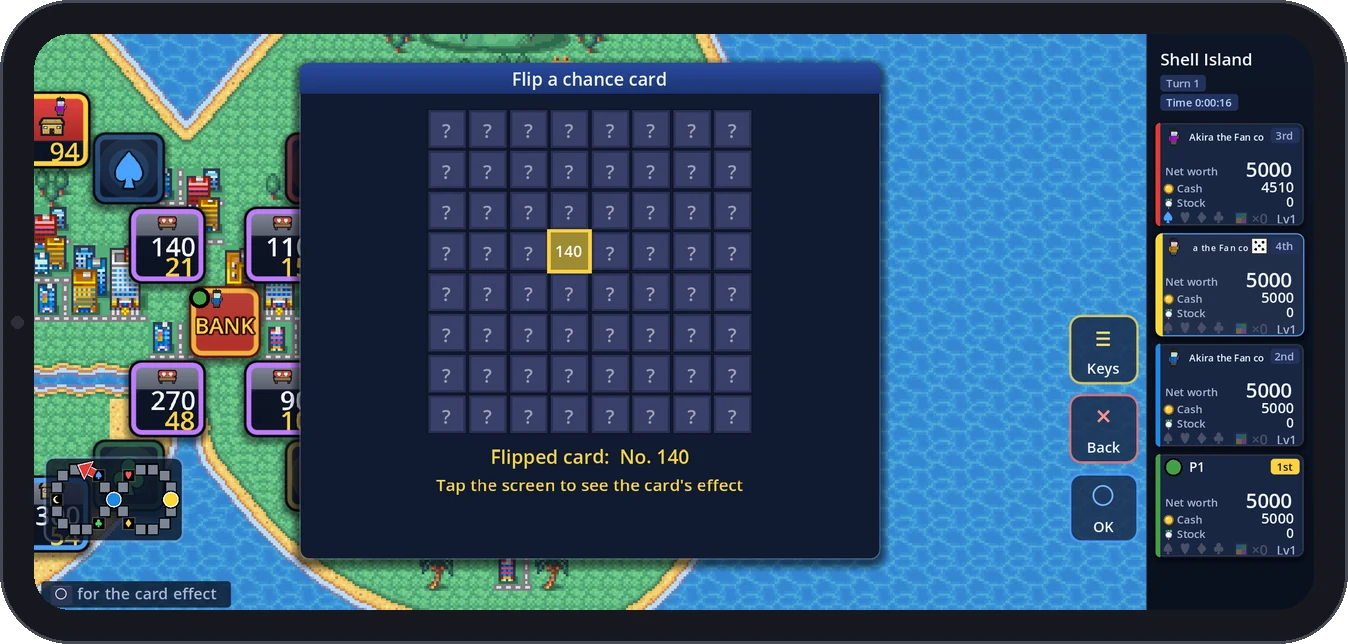 After the flip: "Tap the screen to see the card's effect"
Making use of a wide screen
A phone held sideways is wider than a PC screen, so the on-screen buttons go in the extra width. Screens that use the full width (map select, news, downloadable content, online play) now keep a column for the buttons on the right and lay out their contents around it. When only the board is on screen, the circle pad and buttons sit over the board, so the minimap moves over to make room.
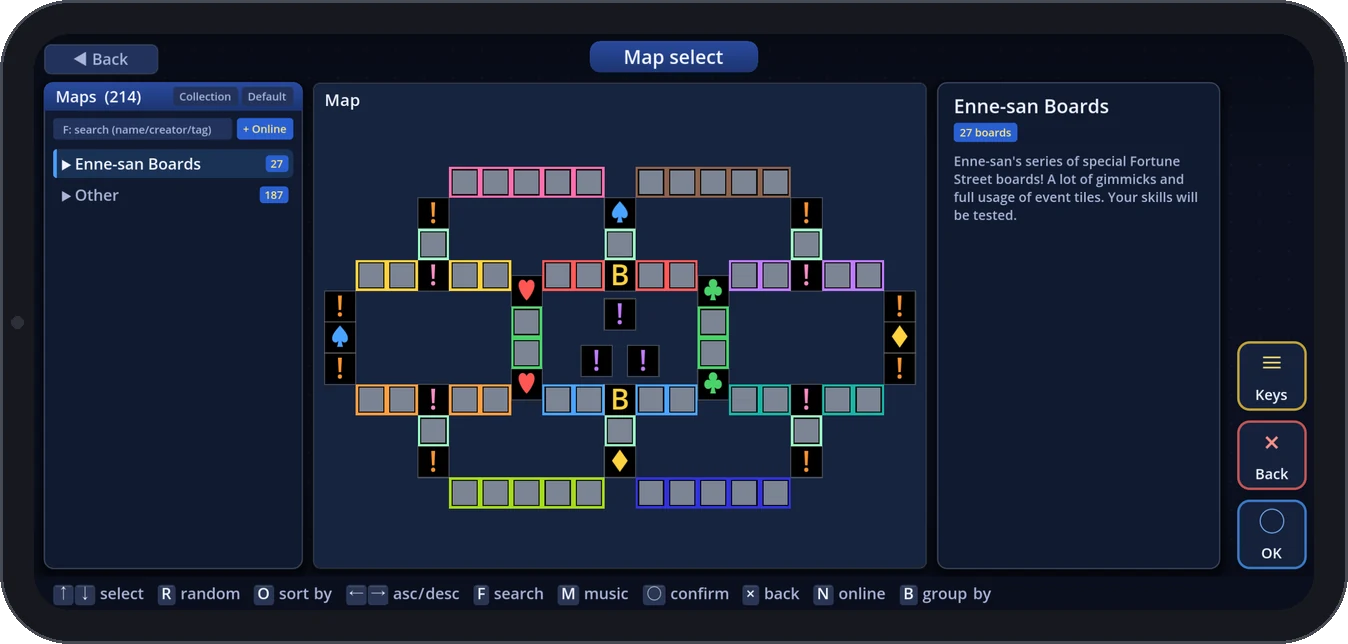 Map select: OK / Back / Keys on the right even on a full-width screen
What phones don't get
The board editor, challenge editor and piece/texture workshop rely on precise mouse work and keyboard shortcuts, so they don't appear on phones. Please make boards and pieces on PC (what you make can be played on a phone as downloadable content).
Getting it onto your phone (planned)
- You'll download the APK from the official site and install it. After that, updates can be downloaded from the update notice inside the game
- You'll be able to use the same account as on PC. Show a code on the PC's account screen, enter it on the phone, and the PC carries on as before
Closing
The goal is that a phone plays the same boards with the same rules as a PC. Plenty of things, like whether your thumb reaches comfortably and whether the buttons are big enough, only show up in real play, so once it's out, please tell us how it feels. You can send anything you notice from "Game review / bug report" on the mode-select screen.
Epoch Street is an unofficial fan game inspired by Fortune Street (Itadaki Street). It is not affiliated with Square Enix, Nintendo or their affiliates.