You will soon be able to publish boards, texture packs, pieces and more so that only people who have the share code can get them. The work is not listed anywhere; the people you send the code to add it from "Online". Use it for a board you play with friends, or a pack you want a few people to try before it is finished. The game side is planned for the next test build.
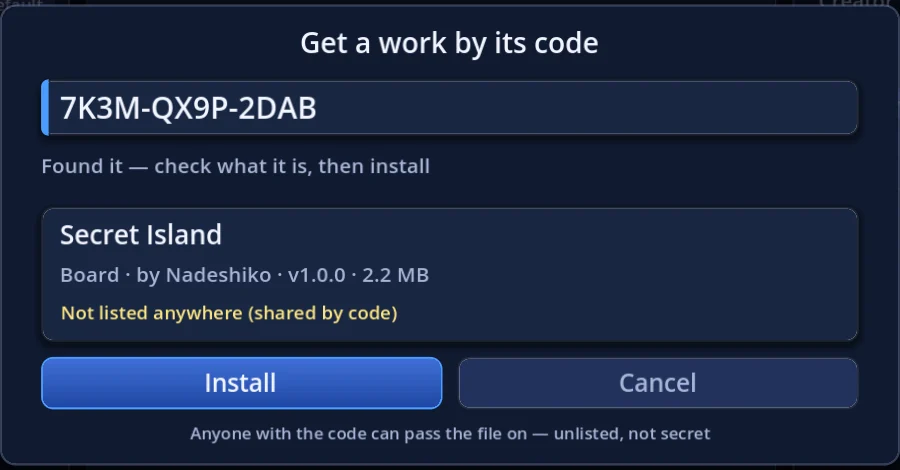 Get a work by its code
Publishing with a share code
Just choose "Share by code" when you publish. For a board it is the checkbox at the bottom of the editor's publish window; for packs it is the "Listing" row on the share form.
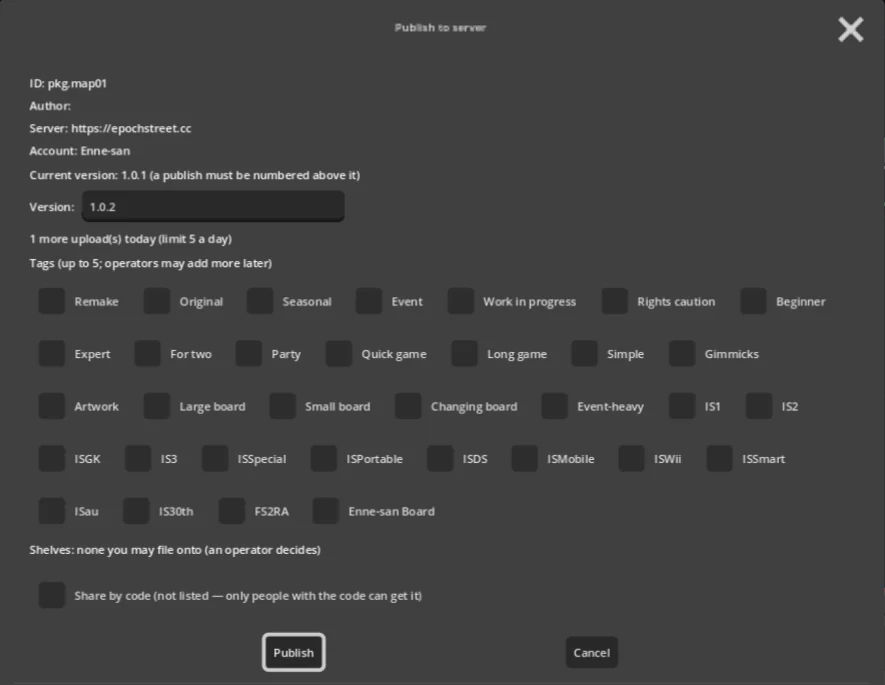 The board editor's publish window
 The "Listing" row on the share form
When you publish, a 12-character share code (for example 7K3M-QX9P-2DAB) is shown and copied to your clipboard. Paste it into a chat and send it to the people you want to have it. As with any upload, it becomes available once the operators have reviewed it.
- A work shared by code does not appear in the game's lists, on the website's board shelf, or on any collection
- When you publish the next version, people with the code get the update just like any other work. The code keeps working
- Once a work is shared by code, publishing from the form never puts it back on the list (only "My uploads" below can do that)
Getting a work by its code
On the "Online" screen press L (or "By code" at the bottom), type the code you were given and press Enter. First you see the work's card — type, author, version and size — so you know what you are about to download. If it looks right, press "Install".
- Upper or lower case, hyphens and spaces don't matter. Look-alike characters (O and 0, I and 1) are read as the same code either way
- A work you got by code is listed under "Installed" and updates like any other work when its author publishes a new version
- If you enter too many wrong codes, lookups pause for a while
Managing it from "My uploads"
Under "Online → Account → My uploads", works shared by code carry a "By code" chip, and selecting one shows its code. Press C or click it to copy it again.
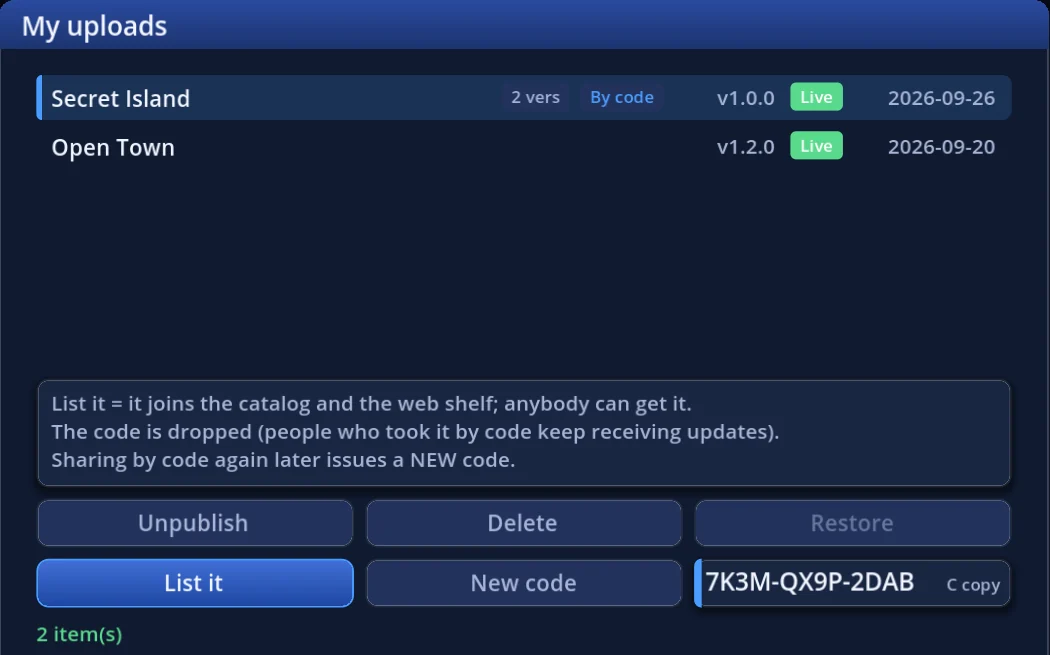 My uploads
- Share by code … switches a work that is on the list to share-by-code
- List it … stops sharing by code and puts the work back on the list for everyone
- New code … issues a new code. The old code stops working immediately
Each button explains what it will do on the first press, and acts on the second.
Good to know
- Unlisted is not secret. Anyone with the code can also pass the downloaded file on. Don't publish anything you would not want others to see
- When you issue a new code, boards that people installed with the old code are removed from their game the next time they start it (packs simply stop receiving updates). That is how you take back a code that spread too far. Switching a listed work to share-by-code does the same for people who don't have the code
- Theme songs cannot be shared by code, because they are delivered to the other players during a match
- In online play, a board you got by code has its art and music handed to the other players inside that room only. Pieces shared by code appear in their standard shape on the other players' screens
That's all for now
Share by code is planned for the next test build, and the server side is already in place. If you have a board you only want to play with friends, give it a try.