Since "Building online play" on September 21 we have updated the test build many times. Online play is still not in the release build (we are still aiming at 1.1), but almost every test build has brought something new to it. Here is what moved this week.
You can now watch a match
From the latest test build (1.0.3-test7) you can join a custom room as a spectator: you do not take a seat, you just watch the match.
- When you join a room you choose "Player" or "Spectator" - by invite code too
- As a spectator you can join a match already under way (players can still join only before the start)
- A room holds at most 16 people, players and spectators together
- The host decides whether spectators are allowed and how they are shown to the players (count only / names / hidden), and can remove a spectator
- While watching you can open the map and the data screens from the pause menu (the match keeps going)
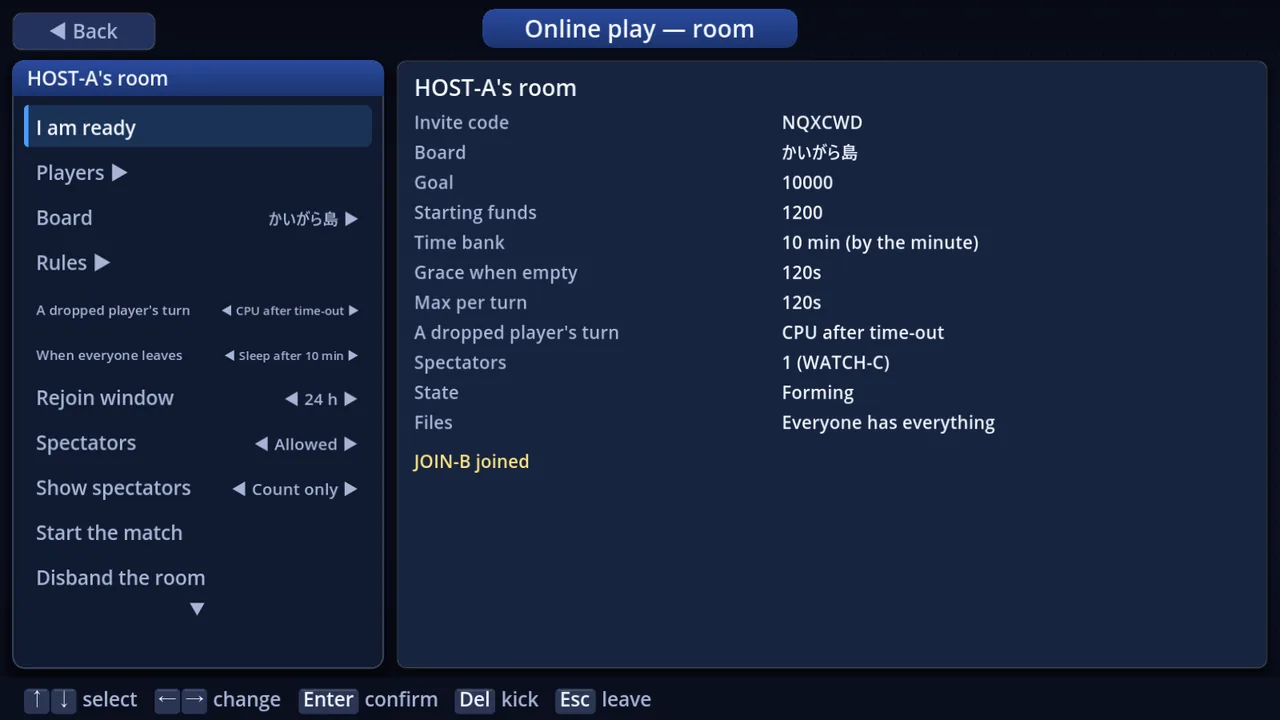 The host's room - the spectator settings and how many are watching
You see the acting player's screen
When it was not your turn, you used to watch pieces move on the board and wait. Now you see the screen the acting player is looking at - the menu cursor, the dice, the stock trading, the casino reels - almost in real time. The top of the screen says whose screen it is. This is also what spectators see.
- The music and sound effects follow the acting player's screen
- CPU turns now play with the same animations as offline
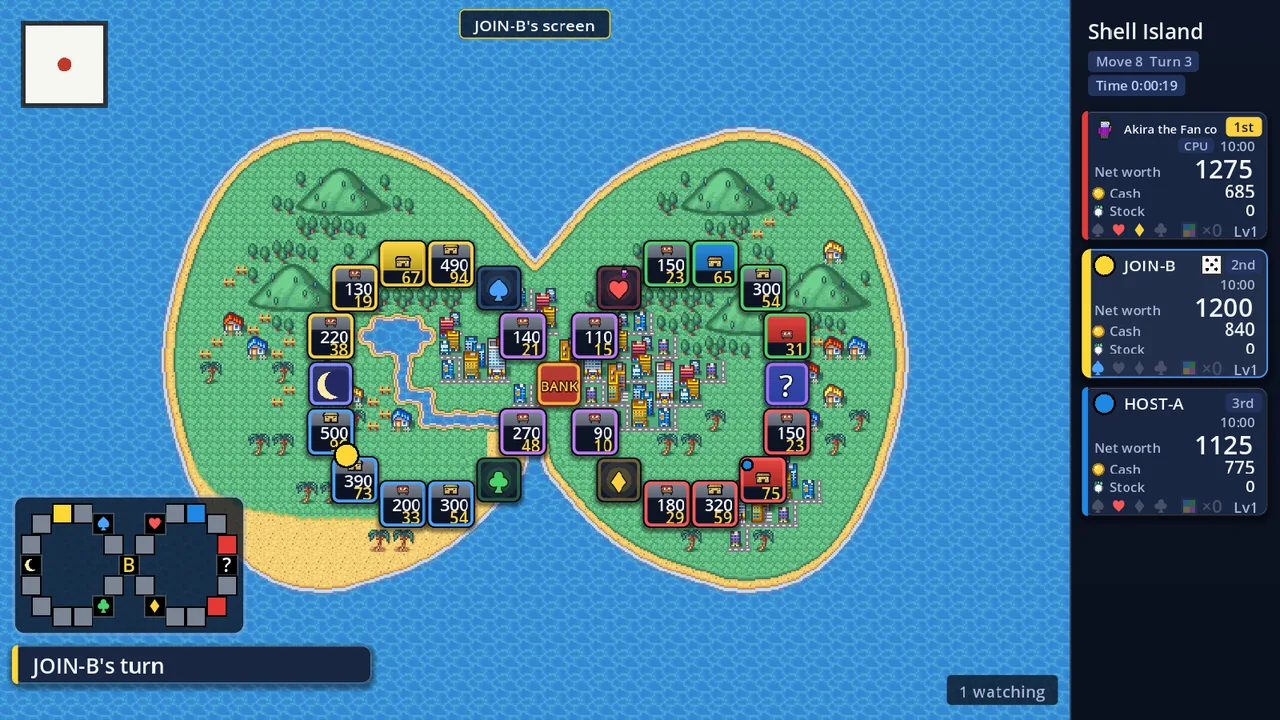 A spectator's screen - "JOIN-B's screen" at the top, "1 watching" bottom right
Clocks
The clocks are now part of the rule settings. An online room starts with a 10-minute time bank (spent by the minute), a 120-second limit per turn and 120 seconds of grace once the bank is empty (the host can change them). The same settings work in offline matches too.
- Each player's card shows their own time bank, and a chip shows how long this turn has left
- The clock starts only once that player's screen has caught up with their turn. While their screen is still showing the previous turn (because of the connection or an animation), their card says "Catching up" and the clock waits
Nobody holds the table up
- When time runs out, Relief (a CPU) plays that turn for you - the same thinking and the same moves as when you ask for Relief yourself. You do not lose your seat
- What happens on a disconnected player's turn is a room setting (CPU after time-out / CPU at once / Wait for them). Custom rooms default to "CPU after time-out", matchmaking to "CPU at once"
- A player who drops can come back to the same seat, and the room's clock settings come back with them
- Screens you only read and close with "confirm" move on by themselves after 5 seconds online
What a room can do
- The host can pick a board published on the server or a board of their own. Players who do not have it get it, pictures and sounds included
- The room shows download progress (%) and what each player still has to fetch
- Team matches (team turns and team split) work in rooms too
- Five new lifetime achievements for online play, and the results screen shows what the other players earned this match
Keeping it solid
Online play is built so the server runs the real match and everybody's board stays the same (as the first post explained). On top of that we keep testing automatically: every test build now goes through a run where a host, a player and a spectator really play a match together. This time that run caught a bug - trading stock with certain chance cards stopped the turn - before the build went out. Holes found in security reviews are closed as soon as they are found.
Not yet
- Online, players cannot trade with each other for now (trading with a CPU works)
- When a suspended match is resumed, spectators do not come back by themselves (join the room again)
- Online play works only between test builds of the same version. The release build has no way into online play yet
Thanks
To everyone playing the test build: thank you for your reports. Spectating should be handy for looking in on friends' matches or for building a stream layout. If you notice anything, please tell us.