On September 29 we released v1.1.3 and the test build v1.1.3-test0. It is a small update: two changes that answer tester reports and requests, plus a new square in the test build's board editor. The engine version also goes up, so online play is between 1.1.3 builds.
Texture packs: a colour for each vehicle style
In a texture pack, the art for squares that carry a colour - warps, vehicles and so on - can come with a colour mask, an image that says where the square's colour is painted. That mask only worked on the generic vehicle art, though, so a pack that drew planes, ships, cars, trains and minecarts each in their own style showed every vehicle in the same colour. Following a tester report, each style can now have its own colour mask.
- For the minecart, for example: square/tint/vehicle/minecart.png (vehicleexit for vehicle exits, vehicleempty for vehicle squares with no vehicle). plane, ship, car and train work in place of minecart
- The Art list gains 15 rows such as "Vehicle (Minecart) (colour mask)"; you can import an image straight from them
- Per-style art wears only its own style's mask, never the generic one (on a differently shaped picture the colour would land in the wrong place)
- Packs you already use look the same until they add masks
Mini-map: "Black, white frame" for unowned squares
Settings -> "Mini-map unowned" gains Black, white frame (from a tester request). Shops and lots nobody owns show as black squares with a white frame. The frame is drawn inside the square, so touching squares still read as separate.
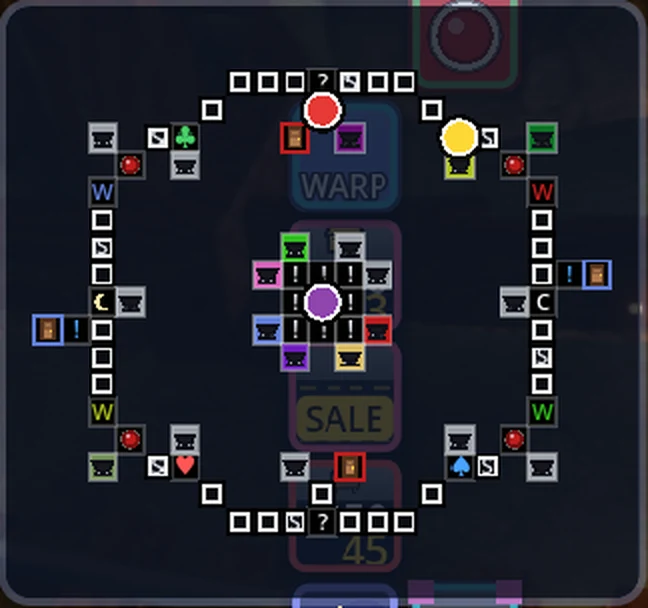 The mini-map's "Black, white frame" option
Test build: Switch (on pass + chance)
The test build's board editor gains a new square, "Switch (on pass + chance)". Crossing it works the switch; stopping on it is a chance square (you draw a chance card).
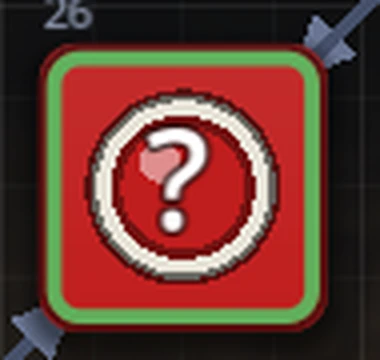 Switch (on pass + chance)
- It looks like a switch with a "?" in the middle of its button
- Stopping on it does not press the switch. Skill Battle, Sphere Battle and the warp cards that go to or avoid chance squares all treat it as a chance square
- "Switch at once when crossed", "Allow post-change board preview", the switch kind, the button colour and the square's background colour work as on any other switch
- Only the test build can place it. A board that uses it is saved in a newer format, so v1.1.2 and earlier cannot open it (on 1.1.3, the release build can play it too)
Compatibility and saves
- Saves (suspend and autosave) carry over
- The engine version goes up (Core 0.6.51 -> 0.6.52). Online play works only between builds on the same engine version: the release build v1.1.3 and the test build v1.1.3-test0 can play together, v1.1.2 and earlier are turned away at the door. The servers are already updated. Start the launcher to update
Thanks
Both changes in this update grew out of testers telling us "this gets in the way" or "this would be nice". If you notice anything, however small, please tell us.