Online play
Online play puts you at the same board as people elsewhere on the internet. The server runs the match and keeps everyone's board identical.
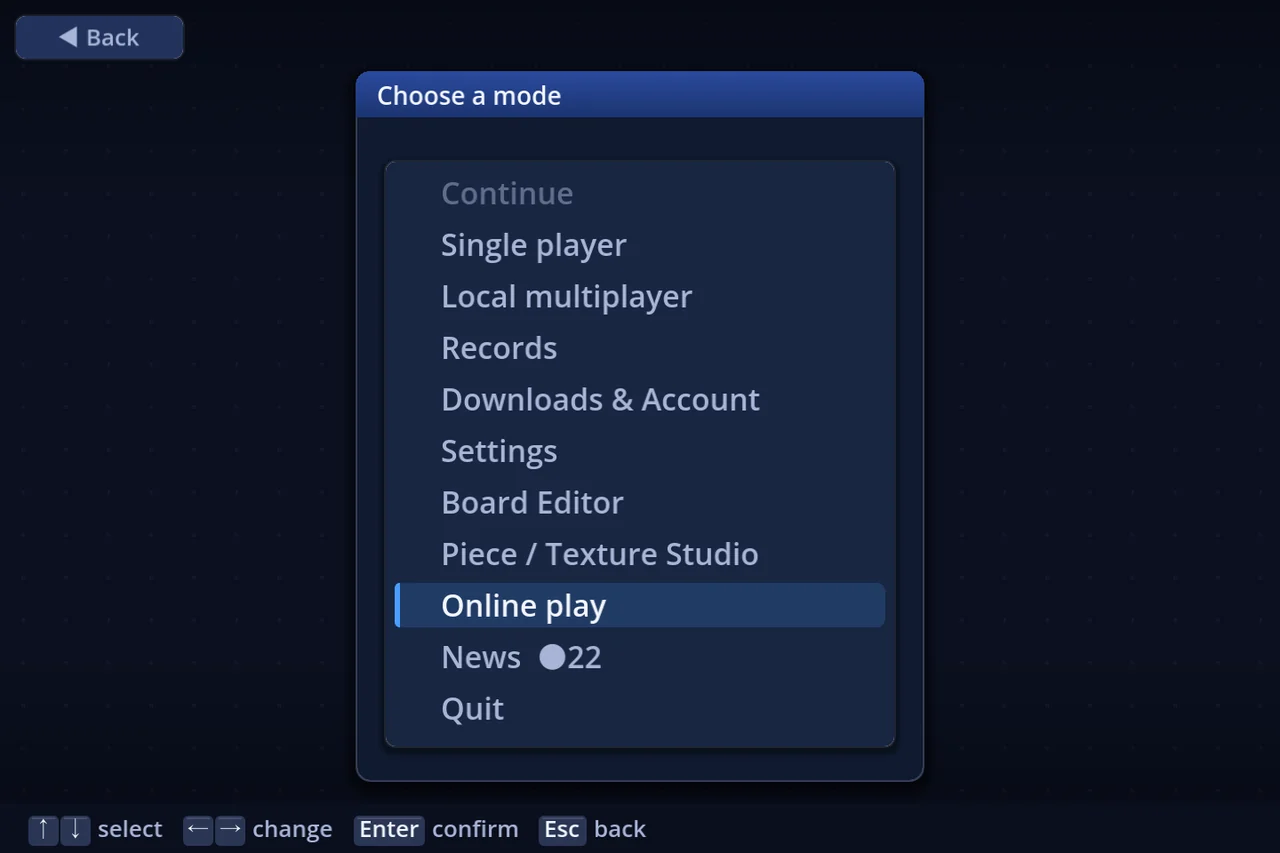
★ Where it is — from release 1.1.1, nobody needs a mode for it. Online play is simply there on the mode list.
1. Before you start
- You can only play with the same engine version (a release and a test build share a table when their engine version is the same). A different version is turned away at the door with "Version mismatch — please update": start the launcher and update to the latest. When everyone keeps up to date through the launcher, the versions match
- The first time, you are asked "Use this server?", with the name that will be sent
- Agree and create the account — play with an account
- No thanks (play as a guest) — carry on without one. You can create one later from the Account screen (you need one to play on the official server — see the next point)
- Online play on the official server needs an account (to queue for matchmaking, and to create, join or watch a room). As a guest you are told "this server needs an account for online play"; create one on the Account screen
2. Choosing how to play
Choosing Online play on the mode list opens the screen that picks how you play.
| Matchmaking | Pick a goal band and queue; the server finds opponents |
| Custom room | Build a room and decide the player count, the rules and the pieces yourselves |
3. Matchmaking
- Pick a goal band and queue
- While you wait, the screen says it is searching. Enter / Esc leaves the queue
- The match starts when the table fills. If not enough people come, CPUs fill in
In matchmaking, a disconnected player's turn is played by relief (a CPU) straight away (section 6).
4. Custom rooms
4a. Joining a room
Pick one from the room list. Each room shows its host, board, player count and state (gathering / playing).
- Join — take an open chair. Chairs can only be taken before the match starts
- Watch — watch without a chair (section 5). You can watch a room whose match is already running
- Join / watch with an invite code — a room with an invite code (password) cannot be entered from the list. Type the code the host gave you and press Enter
4b. Creating a room
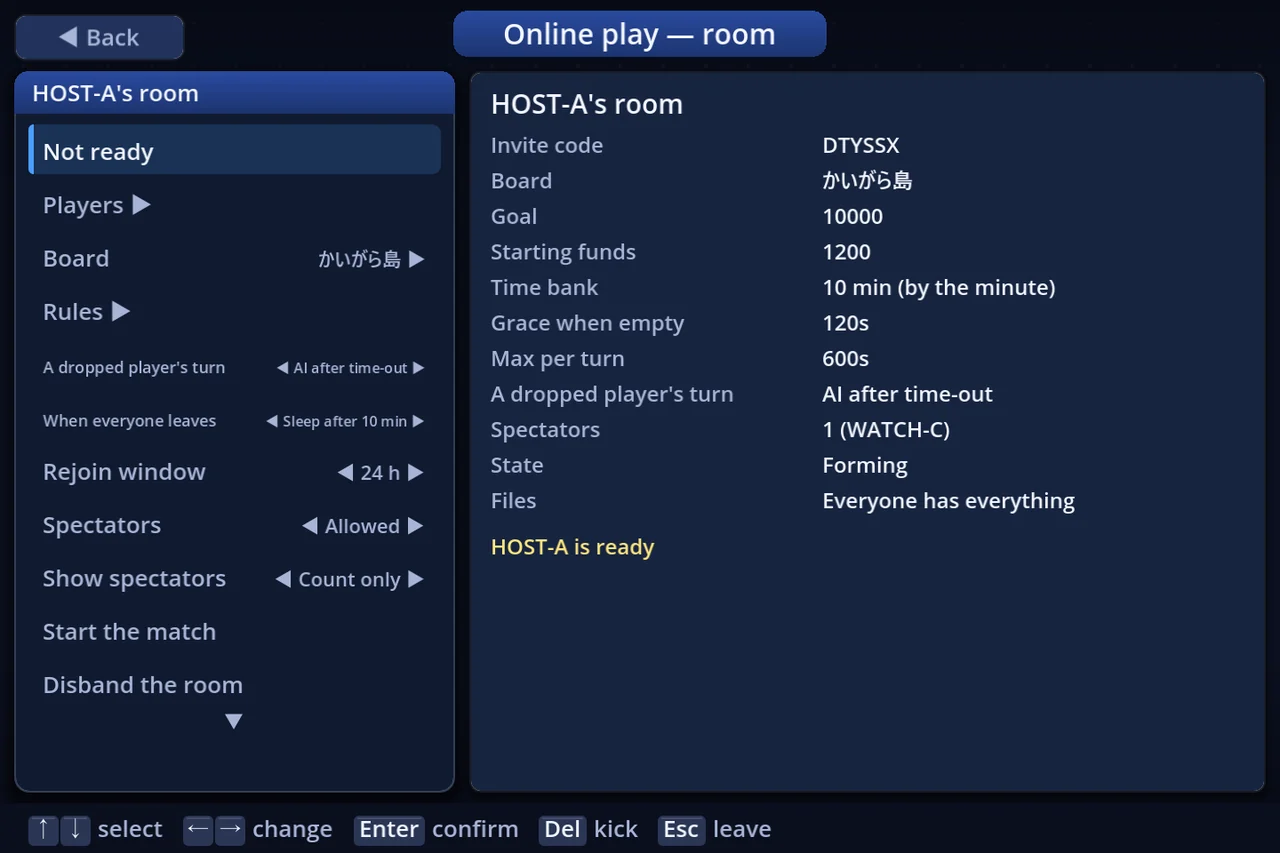
+ Create a room makes a room with you as host. The room screen sets:
| Row | What it does |
|---|---|
| Board | A board published on the server, or one you made. Players who do not have it receive its art and sound too |
| Rules | The same rule-settings screen as offline: goal, starting money, the clock… Teams are available too |
| Players | The player count and the seats. Chairs nobody takes are played by CPUs |
| Visibility | Listed, or reachable by invite code only |
| Spectators | Whether watching is allowed, and how spectators are shown: count only / names too / hidden |
| Disconnected player's turn | Relief on timeout / relief at once / wait for them |
- The host decides the board and the rules; everyone else can check them with See the rules
- To kick a player or a spectator, press confirm (Enter, a click or the pad's confirm) or Delete twice on their row (they cannot come back to this room)
- Disband the room closes it
4c. Getting ready and starting
- Each player presses Ready. You cannot be ready until the board's art and sound have arrived (a percentage shows the progress)
- When everyone is ready, the host starts with Start the match
- Before the start, a seated player can also leave the chair and watch instead
5. Watching
- A room holds up to 16 people, players and spectators together
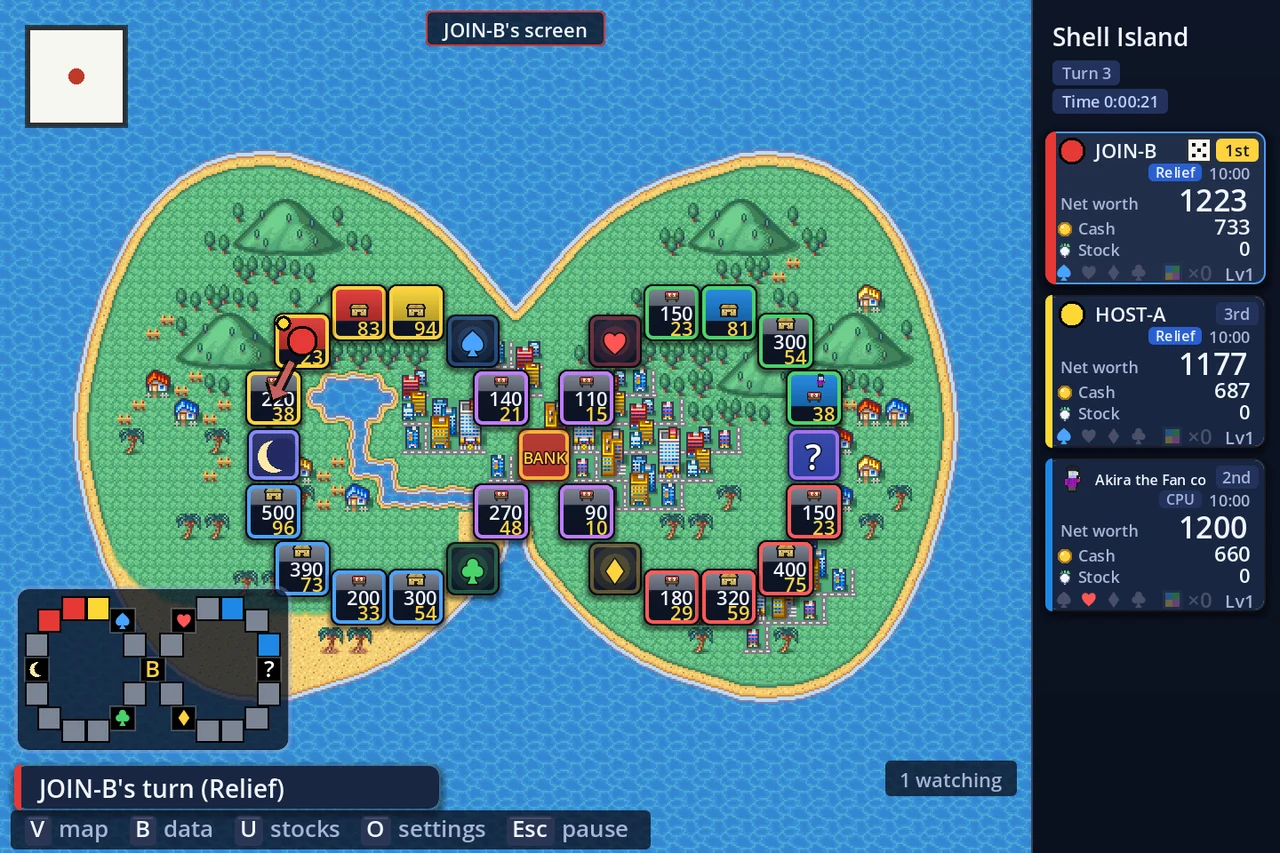
- A spectator sees exactly the screen the player on turn is looking at (a "… 's screen" label at the top), with the text in the spectator's own language
- While watching, the pause menu opens the map and the data screens (the match keeps going meanwhile)
- A room whose host does not allow spectators cannot be watched
6. The clock and relief
Every online table, matchmade or custom room, starts with this clock (in a custom room the host can change it in the rules):
| Default | |
|---|---|
| Time bank | 10 minutes |
| Max time per move | 10 minutes |
| Grace after the bank runs out (per move) | 120 seconds |
- The clock at the top right is how much this turn may still use. Each seat card shows that player's bank
- On a timeout, the turn is played by relief (a CPU). You keep your chair
- On a disconnect, the room's "disconnected player's turn" setting applies (custom rooms default to relief on timeout, matchmaking to relief at once)
- You can also ask for relief yourself (Menu → Other)
7. During the match
- When it is not your turn you still see the on-turn player's screen. CPU turns play with the same screens and effects as offline
- On other players' turns, V opens the map, B the data, U the stock prices, O the settings (read-only)
- Result screens that only need closing move on by themselves after 5 seconds
- To leave mid-match, use Leave the match on the pause menu (you are asked to confirm)
7a. Negotiating with people
Buying, selling and swapping shops, and item deals, work between people online too.
- The player asked has 45 seconds to answer: accept, counter with new terms, cancel, or refuse outright
- While they think, the proposer's clock is stopped
- Other players and spectators see the deal, read-only
- After a refuse outright, the proposer cannot offer the same deal on the same shop to the same player again that turn
8. Getting back in
- If your connection drops or you close the game while the match continues, Rejoin puts you back in the same chair
- The room's clock settings carry over when you return
- Spectators are not brought back automatically; enter the room again
Online play is where reports from real matches help the most. If anything looks wrong, however small, tell us on Discord.